

AI Rendering in VS Code
JSXGraph AIR for Visual Studio Code
Artificial Intelligence Renderer – Powered by JSXGraph
Create JSXGraph illustrations with AI assistance, right from your editor. JSXGraph AIR for Visual Studio Code turns a browser tab into a live preview for your JSXGraph constructions: let GitHub Copilot (or any AI assistant in VS Code) write the code in construction.js — every save instantly updates the rendered construction.

Additional libraries such as MathJax or custom CSS can be added via header.js, guarded by a configurable allowlist. When you’re done, export your work as a single self-contained HTML file or copy it straight to the clipboard.
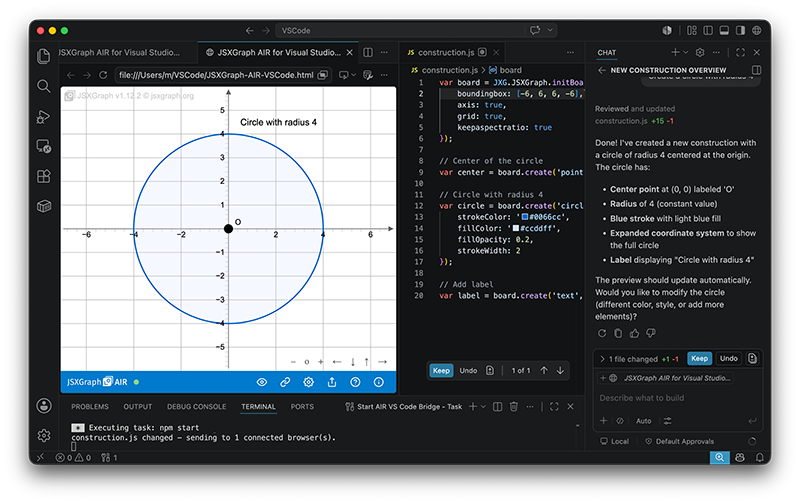
Features
- Works with or without AI — the renderer simply reflects the current file content. Every edit in the editor is applied on save: handwritten code, pasted snippets, and AI-generated constructions are all treated exactly the same.
- Live preview — file changes appear instantly via a local WebSocket bridge
- AI-ready — pairs naturally with GitHub Copilot and any editor-based AI assistant, without depending on one
- Built-in security checks — blocklist for generated construction code, structured allowlist for header content
- One-click export — standalone HTML file or clipboard
- VS Code look and feel — auto-connect, settings stored locally
Requirements
Node.js(LTS version recommended) — runs the local bridge server that watches your files; includesnpmfor the one-time dependency installation. Download from nodejs.org.- Visual Studio Code — the editor in which you (or your AI assistant) write
construction.jsandheader.js. Download from code.visualstudio.com. - GitHub Copilot extension (optional, recommended) — for AI-assisted code generation; requires a GitHub account with an active Copilot subscription. Any other editor-based AI assistant works as well — the preview only reacts to file changes, regardless of who wrote them.
- A modern web browser (Chrome, Firefox, Safari, Edge) — displays the live preview page Internet connection — required for loading the JSXGraph library from CDN and for Copilot; the bridge server itself runs entirely locally.
GitHub
JSXGraph AIR for Visual Studio Code is published on GitHub:
JSXGraph AIR for Visual Studio Code
Download
Get the package (preview page + bridge server) here:
Download JSXGraph-AIR-for-VSCode.zip
Unzip, run npm install and npm start, then open JSXGraph-AIR-VSCode.html in your browser — the step-by-step setup guide is built into the page (? icon).
User Interface
-
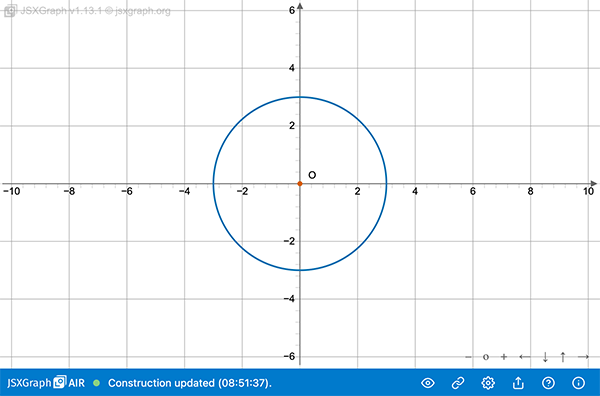
Viewer
The Viewer displays the current content of
construction.js. Whenever the file is modified and saved in VS Code, the displayed construction is updated automatically. All rendering takes place locally on your computer, so no external server or internet connection is required.
-
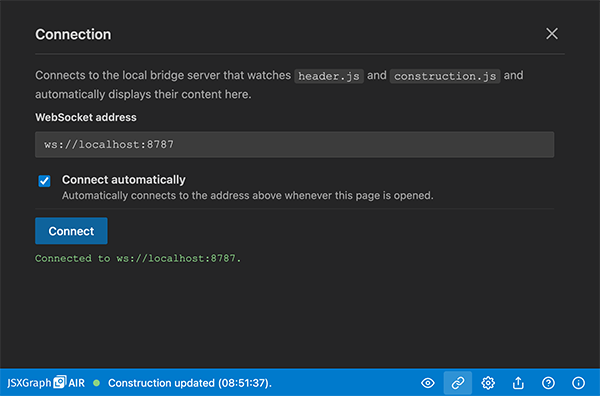
Connection
The Connection panel establishes the connection to the local server running on localhost. It continuously monitors changes to both
construction.jsandheader.jsand updates the viewer instantly whenever a file is saved. This live communication is implemented using WebSockets.
-
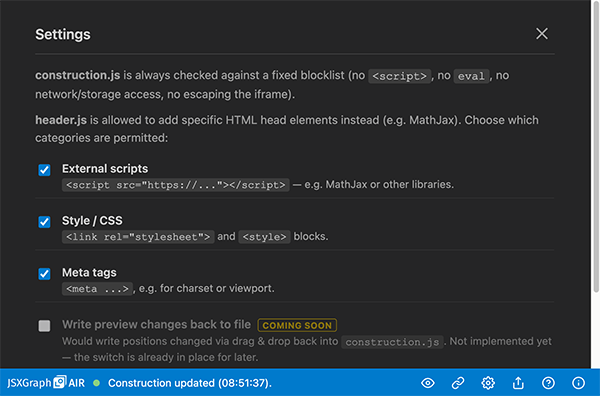
Settings
The Settings panel allows you to configure which entries in
header.jsare permitted. A built-in filtering mechanism ensures that only approved resources and settings can be included. This improves the security of the generated HTML documents by preventing the use of unsupported or potentially unsafe content.
-
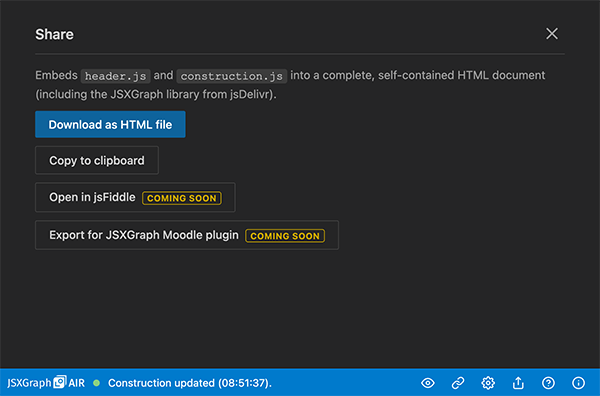
Share
The Share panel lets you export the current construction as a standalone HTML file that can be opened in any modern web browser. Alternatively, you can copy the complete HTML source to the clipboard and paste it into a new file to create the same self-contained document manually.
-
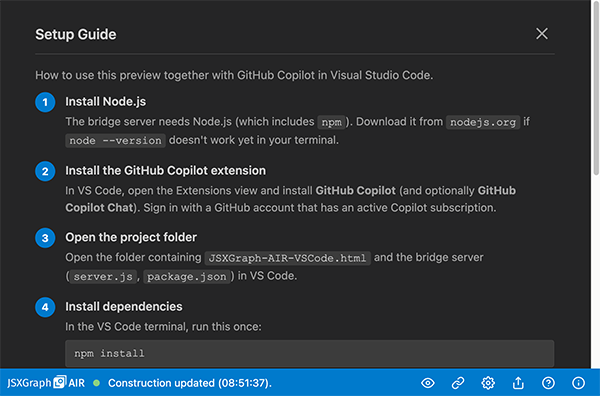
Setup Guide
The Setup Guide walks you through the initial installation and configuration of JSXGraph AIR for VS Code. It explains how to install
Node.js,npm, and all required dependencies, ensuring that your development environment is ready to use.
- About